

Service businesses
Run walk-ins and appointments from one screen
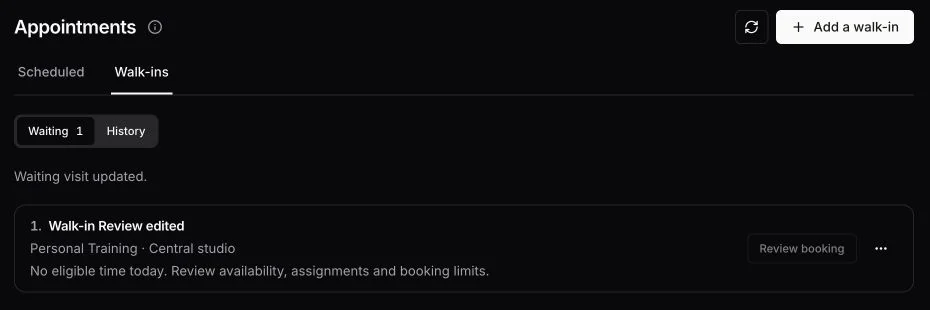
Add walk-in visitors to a queue next to your scheduled appointments. SchedulingKit estimates when each one fits around today's bookings, and you book and check them in with one review.
Included on every plan. Turn it on in Settings › Features & add-ons. Group or shared services need Pro or Business.
How it works
Add the visitor
Enter a name with an email or phone number, then the service, location and preferred staff member.
Check the estimate
Estimates account for today's availability, appointments, holds, buffers, resources and earlier walk-ins. Reorder the queue when priorities change.
Book and check in
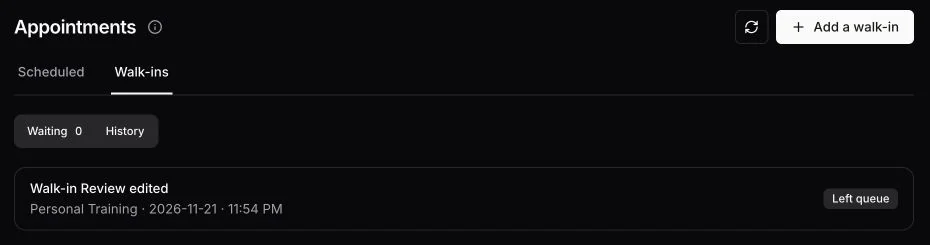
Review the time and confirm. That creates the appointment and checks the visitor in. If someone leaves, the visit stays in the queue history.
What’s included
- Waiting and History views
- Reorder and prioritise the queue
- Estimates built from your real schedule
- One reviewed step to book and check in
- Mark completed or no-show afterwards
Good to know
- Joining the queue doesn't reserve a time. Estimates update as the day changes.
- Staff run the queue. Visitors don't use a self-service kiosk or QR code check-in.
- Works with in-person, custom and invitee-provided locations.
Questions
Try Walk-in Queue free for 14 days
Every new account starts with a 14-day Business trial. No credit card required.